
Cel mai mic pretlibris.ro2Performant · Disponibilitate nespecificata
105,23 RON
Vezi oferta ↗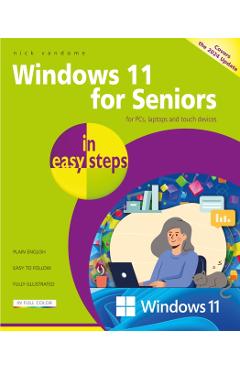
Windows 11 for Seniors in easy steps, 2nd edition is written with older citizens very much in mind. It will guide you through using Windows 11, a step at a time, and covers all the key features in the Windows 11 2024 update (24H2), including: n Navigating the Desktop, Start button, and Start menu with ease, to feel comfortable getting around the Windows 11 interface and accessing items on your computer. n Harnessing the power of Artificial Intelligence (AI) with the Copilot feature to easily find items on your computer and the internet. n Staying connected with family and friends with the updated Outlook app that combines the Mail, Calendar, and People (address book) features. n Using the Chat function within the Teams app to make video calls to family and friends, for face-to-face communication. n Making the most of the range of settings in Windows 11, to customize it just the way you want. n Using the Quick Settings panel to manage your most frequently accessed settings. n In addition to covering all the features in the latest version of Windows 11, there is a new chapter entitled Getting Things Done, which covers some of the most common tasks that you can perform with Windows 11. These include: secure online shopping; booking a vacation; making money from online auction sites; printing photos; completing household accounts; creating effective letters; and connecting to the internet at home or on the move with a Windows 11 mobile device. n Packed with tips throughout, this leading guide for seniors will help you get more out of Windows 11 - at your own pace! nWindows 11 for Seniors in easy steps, 2nd edition is written with older citizens very much in mind. It will guide you through using Windows 11, a step at a time, and covers all the key features in the Windows 11 2024 update (24H2), including: n Navigating the Desktop, Start button, and Start menu with ease, to feel comfortable getting around the Windows 11 interface and accessing items on your computer. n Harnessing the power of Artificial Intelligence (AI) with the Copilot feature to easily find items on your computer and the internet. n Staying connected with family and friends with the updated Outlook app that combines the Mail, Calendar, and People (address book) features. n Using the Chat function within the Teams app to make video calls to family and friends, for face-to-face communication. n Making the most of the range of settings in Windows 11, to cu
Compara preturile si alege comerciantul potrivit.
Compara alternative
Alte produse din aceeasi categorie si de acelasi tip. Verifica specificatiile si pretul final la comerciant.

Descopera mai multe
Alte produse care pot completa cautarea ta.
Informatii utile
Sfaturi si ghiduri care completeaza informatiile despre produs.
Ghid practic
Birou și organizare Cum alegi elastice de birou: dimensiuni, lățime și utilizare Elasticele de birou pot grupa temporar plicuri, cartonașe sau alte o…
Citeste articolul →Ghid practic
Călătorii și accesorii utile Cum alegi o etichetă pentru bagaj: prindere, material și lizibilitate O valiză obișnuită poate semăna cu multe altele, .…
Citeste articolul →Ghid practic
Cum alegi o bara Technique Bar - Ghid complet pentru invatarea tehnicii, fitness si haltere Technique Bar este o bara special conceputa pentru invata…
Citeste articolul →Ghid practic
Cum alegi o camera endoscop industriala: sonda, articulare, rezolutie si protectie Unele produse sunt cumparate pentru o singura problema concreta, i…
Citeste articolul →Istoricul tau
Produsele consultate in acest browser.